· Alexander · Homelab · 5 min read
Meet Tracearr: The Ultimate Monitoring Platform for Media Servers - Part 1
An overview of Tracearr, a modern open-source monitoring platform for Plex, Jellyfin, and Emby servers.
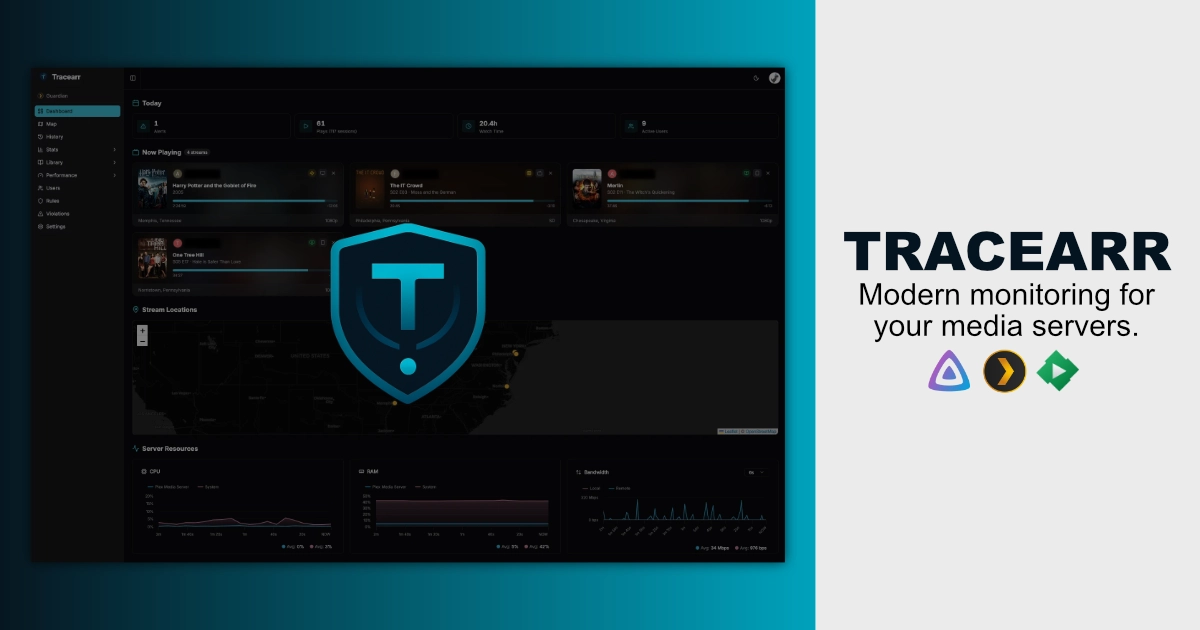
If you’re like me, you probably run a media server—or three. Maybe you started with Plex, dabbled in Jellyfin, and eventually added Emby to the mix. While having options is great, monitoring them has always been a bit of a fragmented experience. Tautulli is excellent for Plex (and by extension JBOPS), and Jellystat works wonders for Jellyfin and Emby, but there hasn’t been a truly unified solution that handles everything in one place… Until now.
Enter Tracearr.
Tracearr is a modern, open-source monitoring platform designed specifically for media server enthusiasts. It provides a single dashboard to track your streams, analyze playback and media, and instantly detect suspicious account sharing across all your servers.
Why Tracearr?
The biggest pain point for multiserver admins is “dashboard fatigue.” Switching between browser tabs just to see who is watching what on which server is inefficient. Tracearr solves this by being server-agnostic. Whether you’re running one Plex instance or a dozen mixed servers, Tracearr brings all that data into a cohesive, real-time interface.
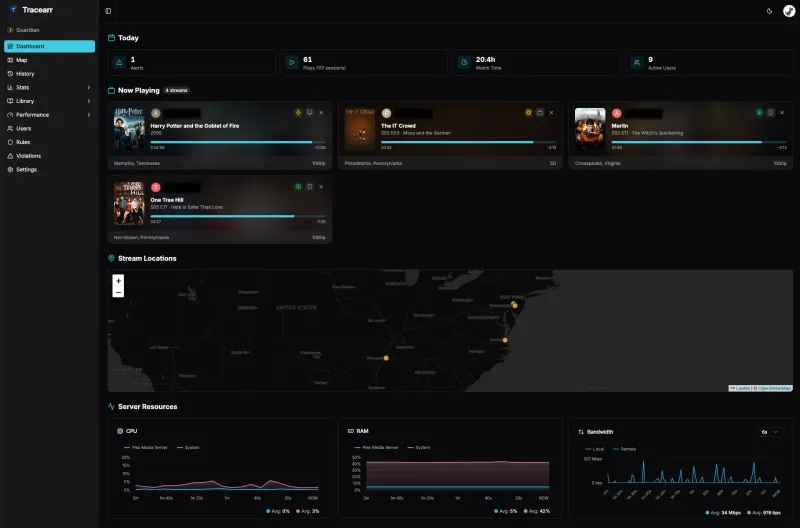 The Tracearr dashboard provides a unified view of all your connected media servers.
Key Features
Tracearr isn’t just a simple log viewer; it’s a fully featured analytics and security suite for your home lab.
1. Real-Time Session Tracking
Using Plex’s Server-Sent Events (SSE) and Jellyfin/Emby SSE plugin, Tracearr gives you a live look at every active stream. You can see who is watching, what device they are using, their IP address, their physical location* on an interactive world map, and all the metadata about the session.
2. Deep Analytics
Ever wondered if your users are actually utilizing those 4K files or if they’re just transcoding down to 720p? Tracearr provides detailed breakdowns of:
- Stream Quality: Transcode vs. Direct Play stats and codec distribution.
- Library Growth: Track how your collection is expanding over time and what media is being consumed the most.
- Bandwidth Usage: See who is eating up your upload speed.
- Device Compatibility: Identify which devices are causing the most transcodes.
3. Intelligent Sharing Detection
One of the unique features of Tracearr is its ability to spot account sharing. It uses several “Rules” to flag suspicious activity, such as:
- Impossible Travel: Flagging a user who appears in New York and London within 30 minutes.
- Simultaneous Locations: Detecting one account streaming from two different cities at the same time.
- Trust Scores: Users earn (or lose) trust based on their streaming habits. Limit those pesky family members who keep sharing their accounts with friends if their rep drops too low (looking at you, sis!).
4. Seamless Data Importing
If you’re already using Tautulli or Jellystat, you don’t have to start from scratch. Tracearr allows you to import your existing watch history so you can keep all those years of data.
5. Rules Engine
Tracearr’s rules engine allows you to create custom rules to monitor and manage your media server. You can set conditions based on user behavior, stream quality, and more, and take actions such as sending notifications or adjusting user permissions. Check out the official documentation for a full list of available rules and actions.
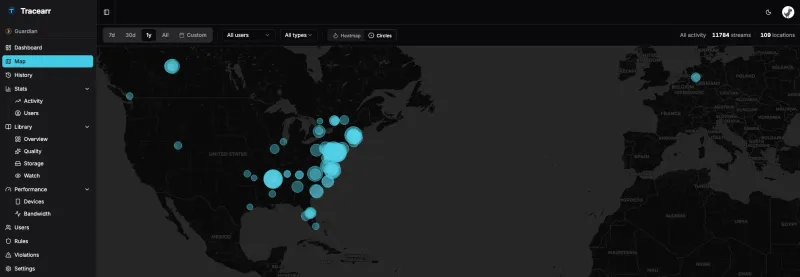 The interactive map lets you visualize where your users have been watching from.
Under the Hood
For the tech-savvy, Tracearr is built on a modern stack:
- Frontend: React 19 & Tailwind CSS
- Backend: Node.js & Fastify
- Database: TimescaleDB (for high-performance time-series data)
- Cache: Redis
It’s designed to be fast, responsive, and—most importantly—self-hosted. Your data never leaves your infrastructure if you don’t want it to.
Tracearr Screenshots
click/tap to enlarge
Getting Started
Tracearr is completely free and open-source under the AGPL-3.0 license. If you’re ready to take your monitoring to the next level, you can deploy it in minutes using Docker.
I won’t cover the full installation here, as the official documentation does a much better job of keeping up with updates, but you can find everything you need to get started via the links below.
- Official Website: tracearr.com
- Documentation: docs.tracearr.com
- GitHub Repository: connorgallopo/tracearr
- Discord Community: Join the Tracearr Discord
Conclusion
Tracearr is a breath of fresh air for the self-hosted media community. It’s polished, powerful, and fills a significant gap in the ecosystem. If you’re tired of juggling multiple dashboards, I highly recommend giving it a spin. Also don’t forget to sponsor your favorite open-source projects if you can!
Make sure to check out Part 2 where I sit down with Connor Gallopo, the creator of Tracearr, to discuss the inspiration, challenges, and the future of this exciting project.
What do you think of Tracearr? Are you sticking with Tautulli / Jellystat, or are you ready for a unified dashboard? Let me know in the comments below!