· Alexander · Caddy · 2 min read
Caddy in Docker with Cloudflare DNS
Automating a custom Caddy Docker image build so you can use the Cloudflare DNS plugin for wildcard Let's Encrypt certs.

So I’ve been using Caddy for a while as my web server/reverse proxy. Basically it sits in front of all of my services and redirects/protects my stuff.
Now I have been building a custom image off of abiosoft/caddy-docker with a custom set of plugins… manually… That changes today!
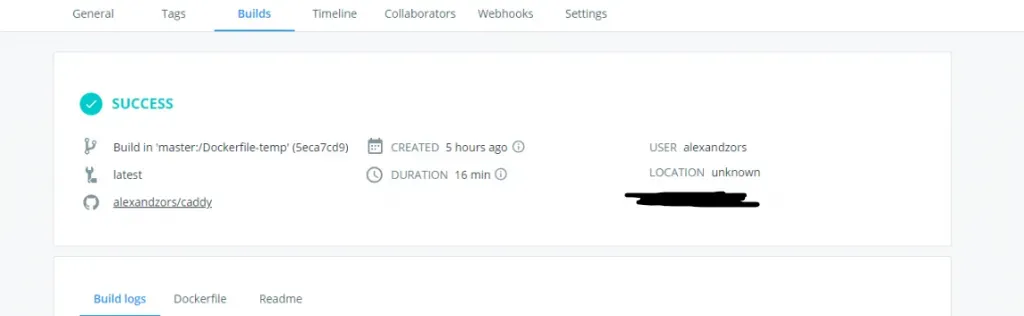
WOOT! What you are seeing here is a screenshot of docker cloud automatic image building. So basically I created a repo on GitHub that houses a Dockerfile (at the moment it’s a custom temp one cause docker cloud isn’t properly passing env variables) which when the master branch is pushed will remote trigger a build on docker hub using the Dockerfile.
alexandzors/caddy — Custom abiosoft/caddy-docker image.
So why all this you may ask. Well I really wanted to get a wildcard Let’s Encrypt SSL cert. The best way to do that is to use a supported DNS provider plugin with the following in a Caddyfile directive:
tls { dns cloudflare}I can then import that wildcard cert to all of my subdomain directives. Makes it easier to manage as you get one overall certificate instead of one for each subdomain + the root domain.
This custom image also has a few extra plugins besides the Cloudflare one so it’s even better!
If you want to try it out you can run sudo docker pull alexandzors/caddy. Then deploy it with the following compose file:
version: '3.6'services: caddy: deploy: replicas: 1 restart: unless-stopped healthcheck: test: ["CMD", "curl", "-I", "http://localhost"] interval: 1m30s timeout: 10s retries: 3 start_period: 40s image: alexandzors/caddy ports: - "81:80" - "444:443" - "2015:2015" volumes: - /path/to/Caddyfile:/etc/Caddyfile - /path/to/caddy/dir:/root/.caddy - /path/to/sites/root:/srv environment: - ACME_AGREE=true - CLOUDFLARE_EMAIL=<CF_EMAIL> - CLOUDFLARE_API_KEY=<CF_API_KEY>